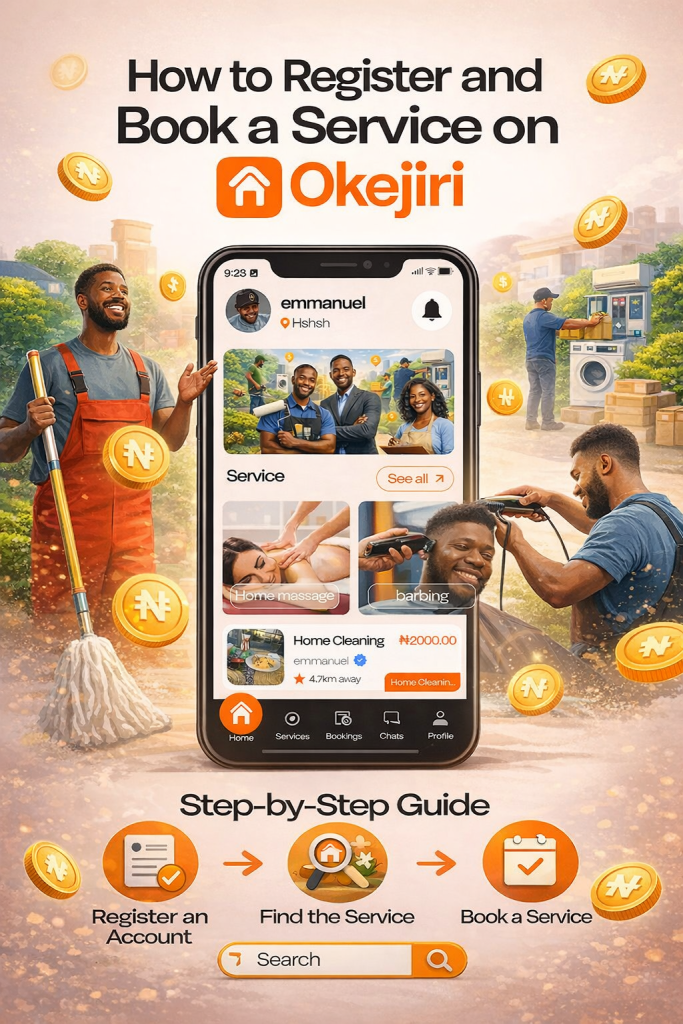
In Nigeria today, getting reliable service providers can be stressful — from finding a trusted barber to booking a professional cleaner. That’s why platforms like Okejiri are changing the game.
With Okejiri, you can easily find, verify, and book skilled professionals near you without stress.
In this detailed guide, you’ll learn:
- How to register on Okejiri
- How to complete KYC verification
- How to book services step-by-step
- How payments and safety work
What is Okejiri?
Okejiri is a home service booking app in Nigeria that connects users with trusted professionals for everyday services such as:
- Home cleaning services
- Barbing and grooming
- Massage therapy
- Car wash services
- Other on-demand home services
It’s designed for convenience, safety, and reliability, helping you get things done faster.
How to Register on Okejiri (Step-by-Step)
Creating your account is simple and takes just a few minutes.
Step 1: Download and Open the App
Download the Okejiri app and launch it on your device.
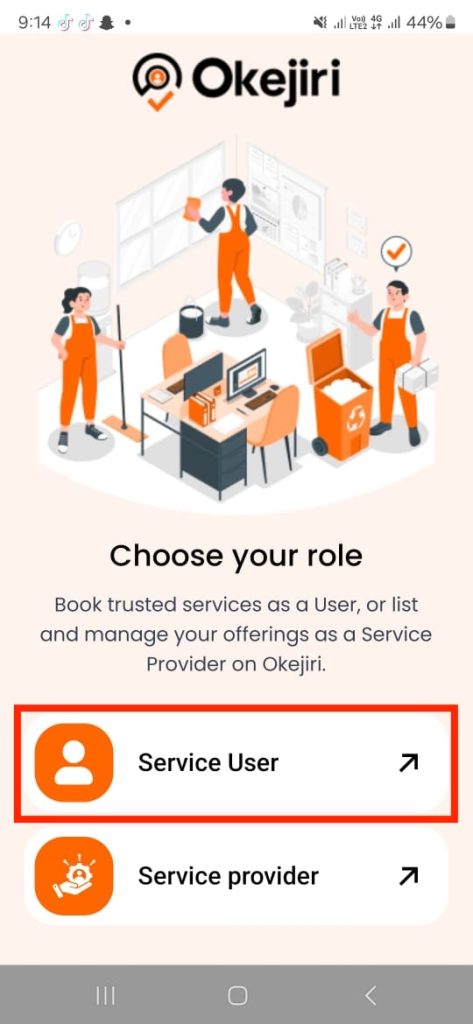
Step 2: Select “Service User”
Choose Service User to continue as someone who wants to book services.
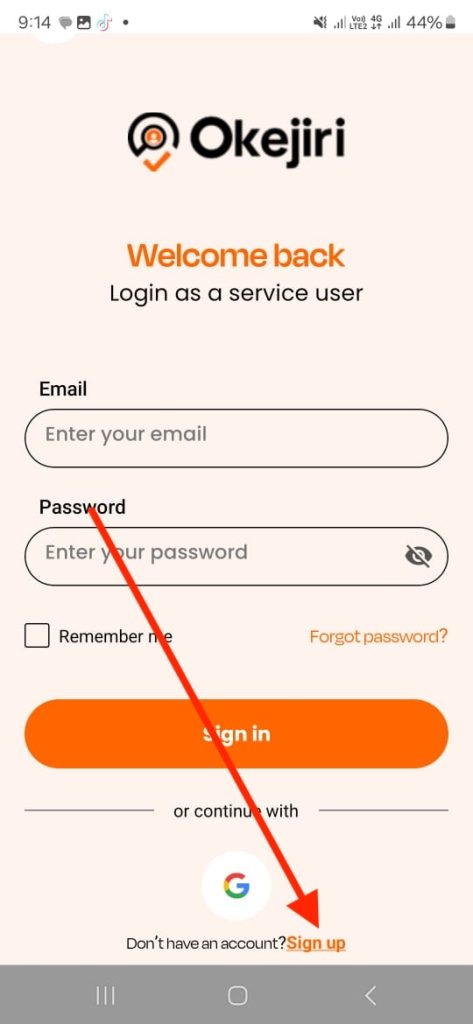
Step 3: Click Sign Up
Tap on the Sign Up button.
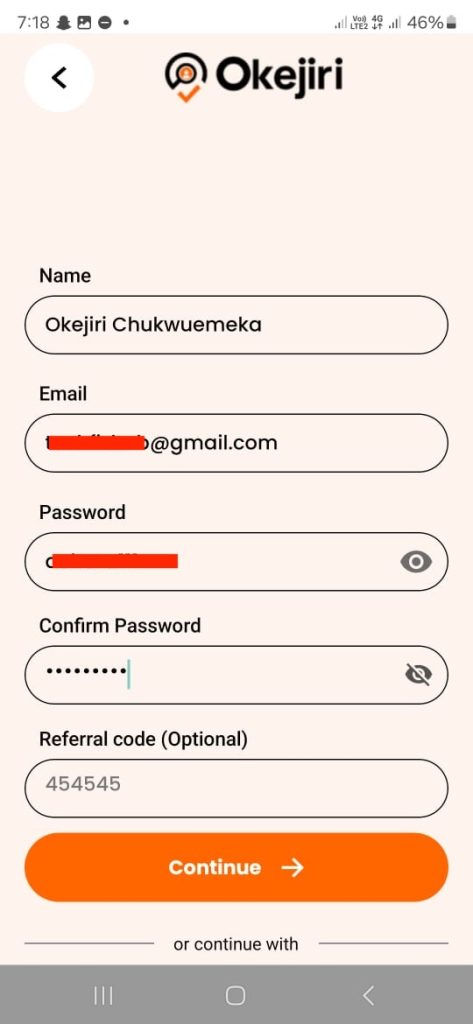
Step 4: Enter Your Basic Details
Provide:
- Your full name
- Email address
- Password
Step 5: Add Phone Number and Location
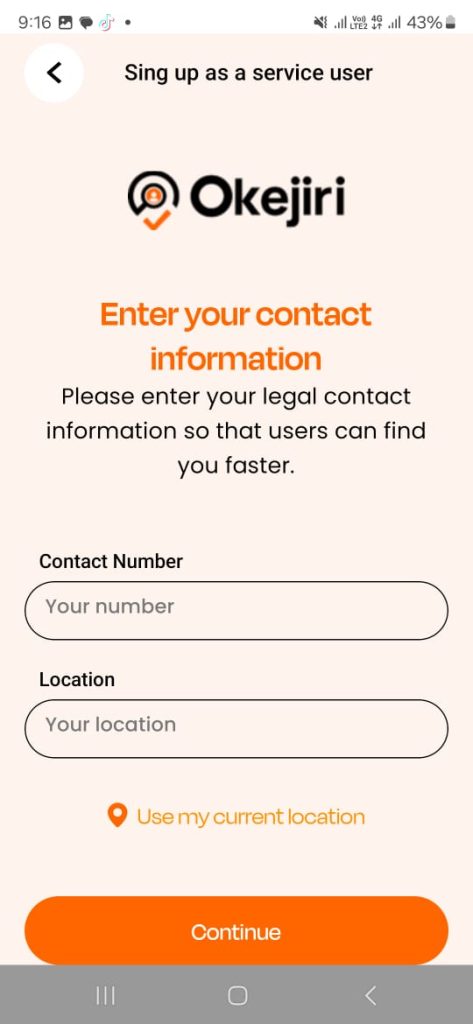
Enter your phone number and location (e.g., Lagos).
👉 Make sure you:
- Tap “Use My Location”
- Then tap Continue
Step 6: Complete Your KYC Verification
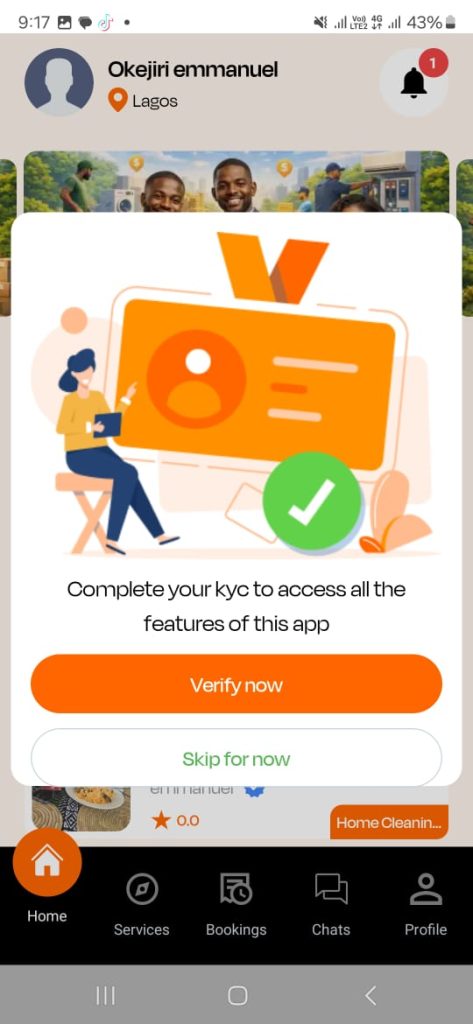
Once you enter your dashboard, you’ll see a popup prompting you to verify your account.
- Tap “Verify Now”
- Upload your valid ID
⚠️ Important Notes:
- KYC is mandatory before using the app
- Use only a valid and original ID
- Your account will be activated after approval
✅ Registration Complete
Once your KYC is approved, you can now start booking services on Okejiri.
How to Book a Service on Okejiri
Booking a service on Okejiri is flexible and user-friendly.
Step 1: Browse Services Near You
After logging in, you’ll see services available near you on the home screen.
You can also tap “See All Services” to explore all categories.
Step 2: Select the Service You Need
Click on any service.
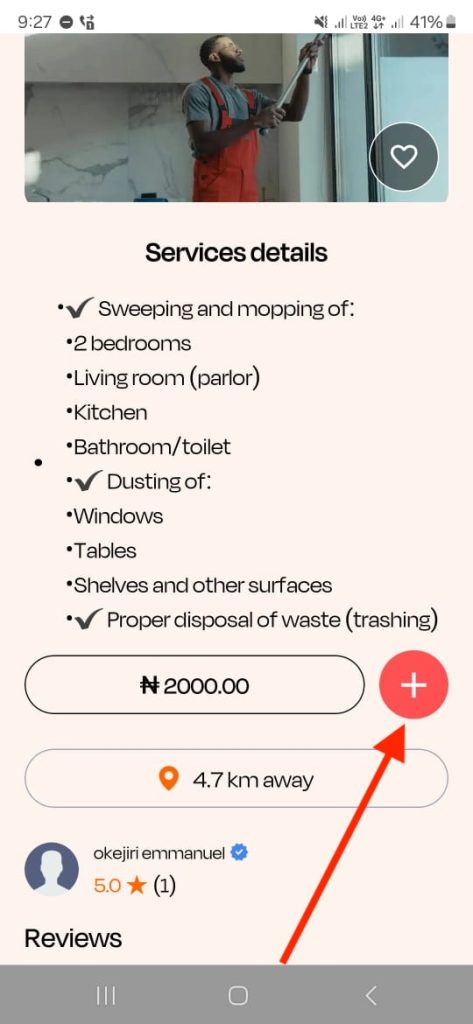
You’ll see:
- Service description
- Provider ratings
- Portfolio (past work)
Step 3: Add to Cart
Tap the “+” icon to add the service to your cart.
👉 You can add multiple services if needed.
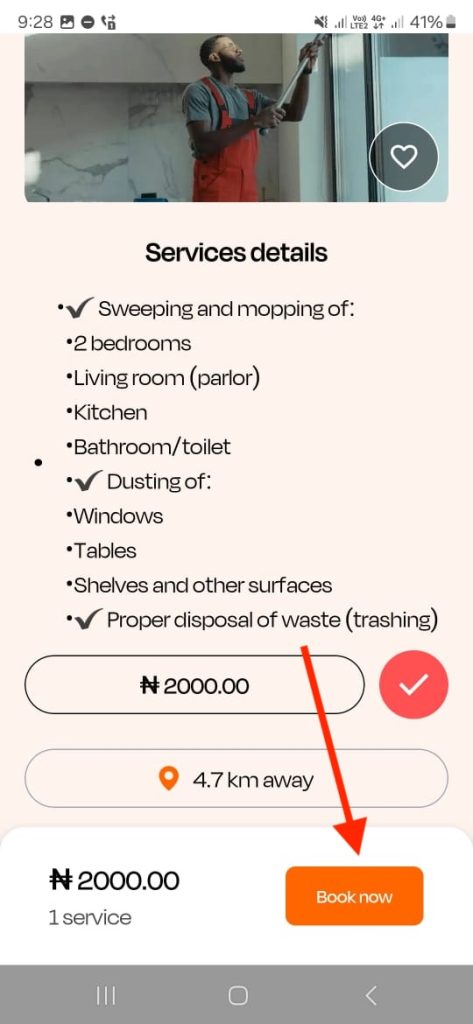
Step 4: Tap “Book Now”
Once ready, click Book Now.
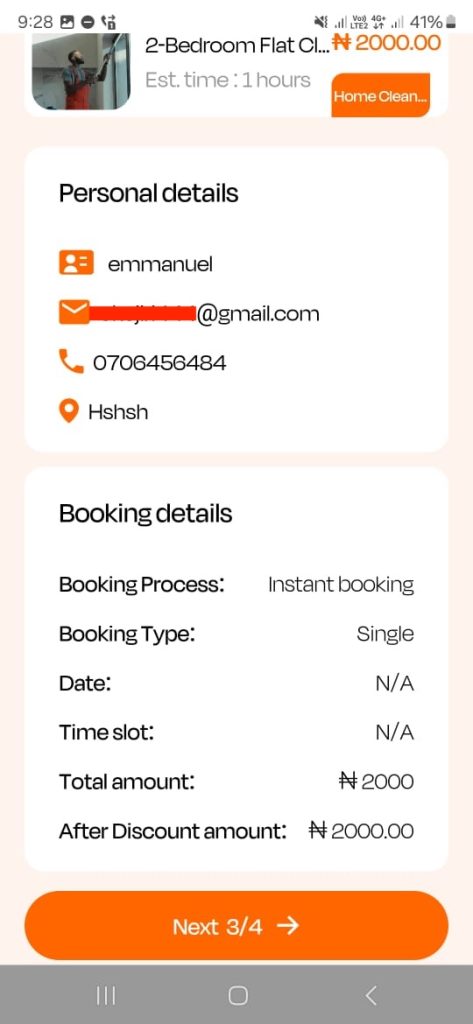
Step 5: Choose Your Booking Options
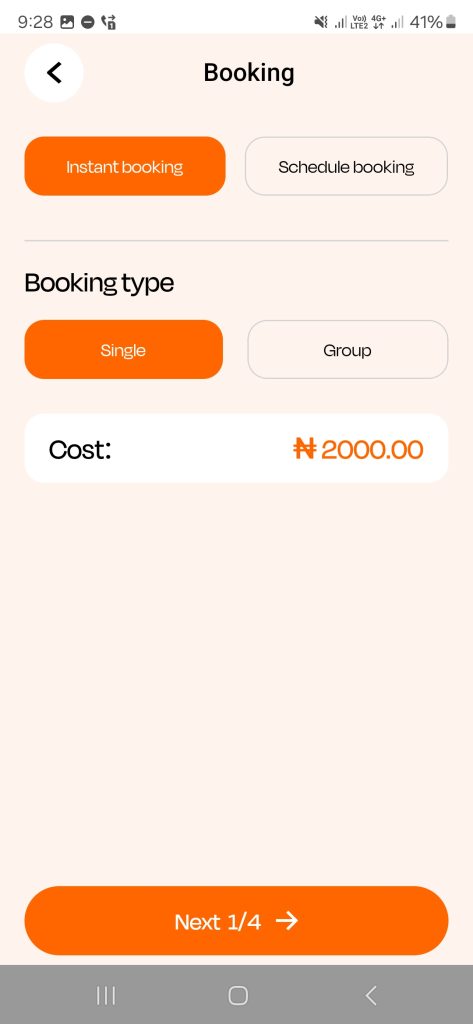
You’ll be given flexible options:
⏱ Booking Time:
- Instant Booking – for immediate service
- Scheduled Booking – pick your preferred date
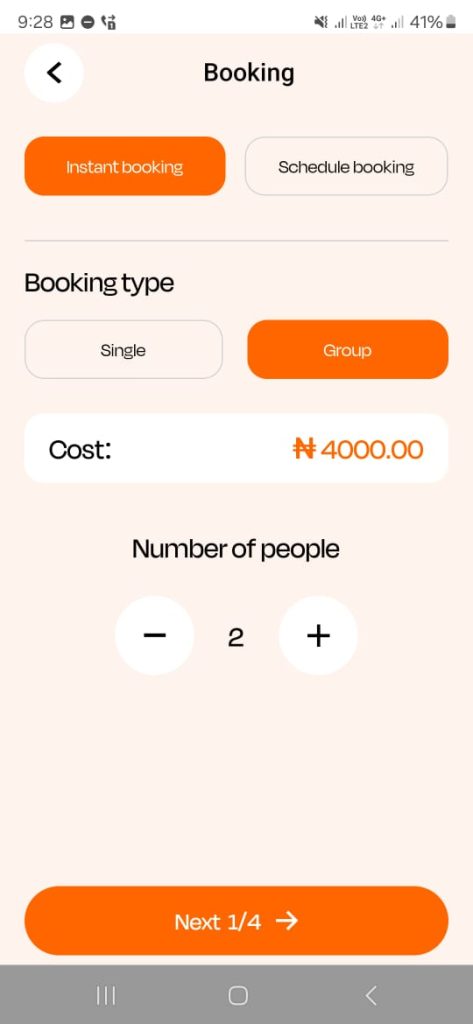
👥 Booking Type:
- Single Booking – for one person
- Group Booking – for multiple people (e.g., family or friends)
Step 6: Confirm Your Details
Check your:
- Name
- Phone number
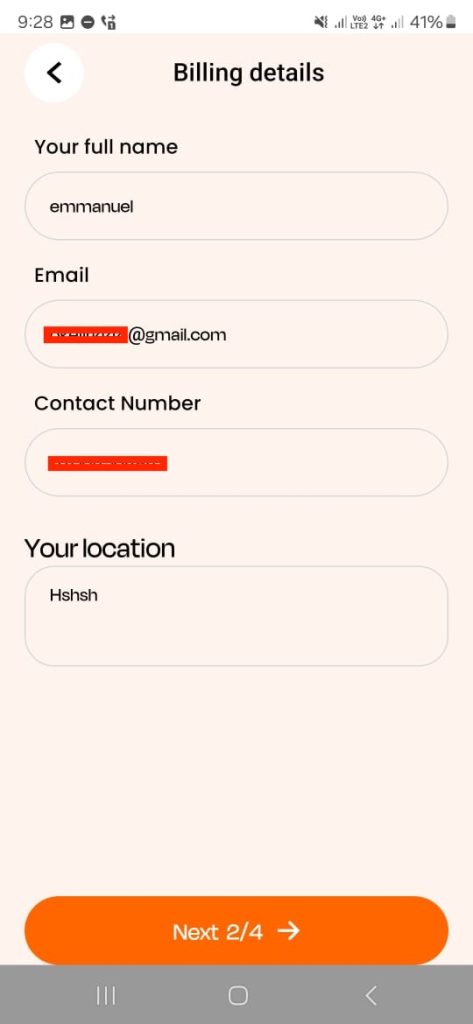
You can update these anytime in your profile settings.
Step 7: Review Your Order
Confirm all service details are correct before proceeding.
Step 8: Make Payment
Choose your preferred payment method:
- Wallet balance
- Card payment
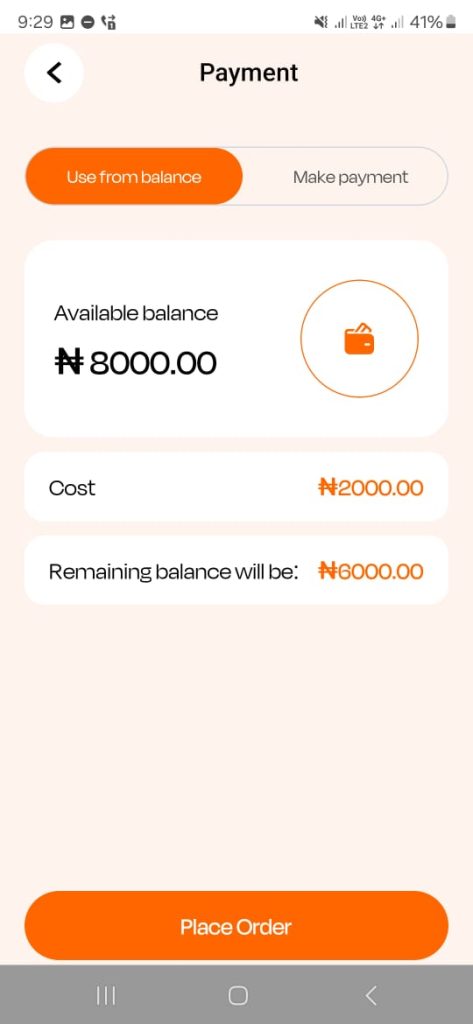
Once payment is successful, your order is placed.
What Happens After Booking?
After placing your order:
- The service provider will accept or reject your request
- You’ll receive a notification
If Provider Doesn’t Respond
If there’s no response within 30 minutes:
- Go to Bookings
- Select your order
- Tap Cancel
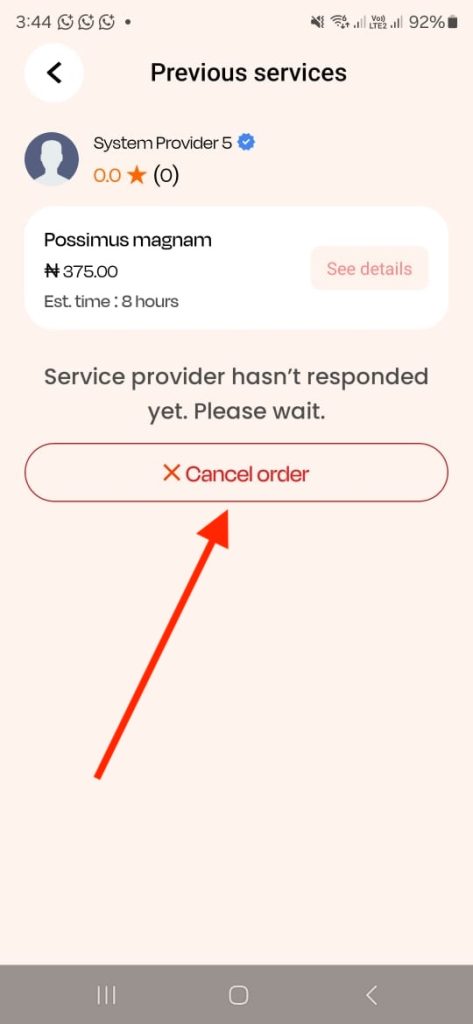
Then you can book another provider.
If Provider Accepts
Once accepted, you can:
- Chat with the provider
- View their phone number
- Call them if needed
Secure Payment System (Why Okejiri is Safe)
Okejiri protects users with a secure system:
- Your payment is held safely
- Provider gets paid only after job completion
- You must confirm satisfaction before release
This ensures quality service and accountability.
Important Safety Tips
- Always communicate within the app
- Do not make payments outside the platform
- Always confirm job completion before approving
Okejiri cannot resolve issues for services done outside the app.
Frequently Asked Questions (FAQs)
1. Is Okejiri free to use?
Yes, downloading and registering on Okejiri is free. You only pay for the services you book.
2. Why is KYC verification required?
KYC helps ensure safety and trust by verifying users and preventing fraud.
3. How long does KYC approval take?
KYC approval usually takes a short time after submitting valid documents.
4. Can I cancel a booking?
Yes, you can cancel if the provider doesn’t respond within 20 minutes.
5. When does the service provider get paid?
Only after the job is completed and you confirm satisfaction.
6. Can I contact the service provider directly?
Yes, once your booking is accepted, you can chat or call them.
7. What happens if I’m not satisfied?
You can raise a dispute or contact support for assistance.
8. Can I book for multiple people?
Yes, use the group booking option.
Conclusion
Okejiri is one of the fastest-growing home service apps in Nigeria, designed to make your life easier. From registration to booking and payment, everything is simple, secure, and convenient.
If you’re tired of unreliable service providers, Okejiri gives you a better, smarter way to get things done.