

Are you a skilled professional or business owner looking to attract more customers and grow your income?
The Okejiri app makes it easy for both individuals and companies to connect with nearby clients, showcase their services, and get booked effortlessly.
In this guide, you’ll learn exactly how to:
- Register as a service provider
- Set up your profile
- List your services
- Start receiving bookings
Why Join Okejiri as a Service Provider?
Okejiri is built to help you grow. Here’s what you gain:
- Get more customers in your area
- Showcase your skills and portfolio
- Receive bookings directly from users
- Grow your business with ease
Registering as an Individual
Perfect for freelancers, artisans, and independent professionals.
Step 1: Open the Okejiri App
Download and launch the app on your phone.
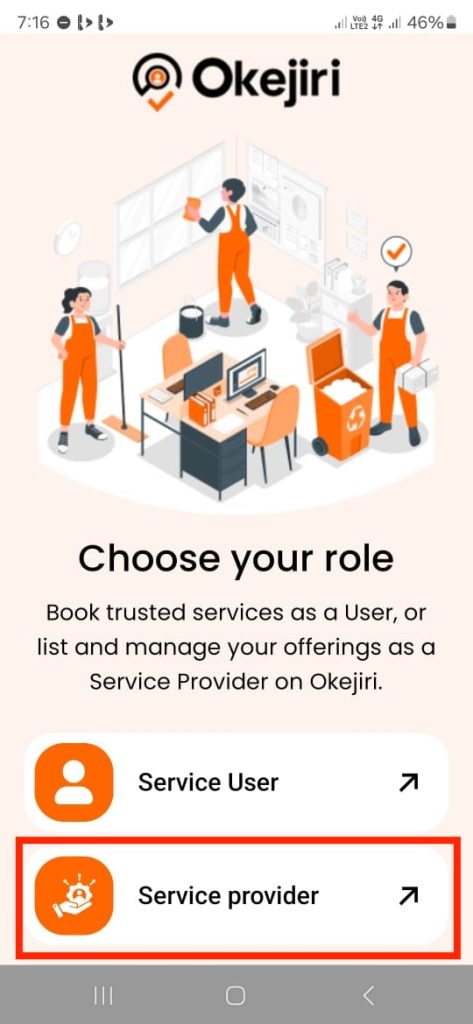
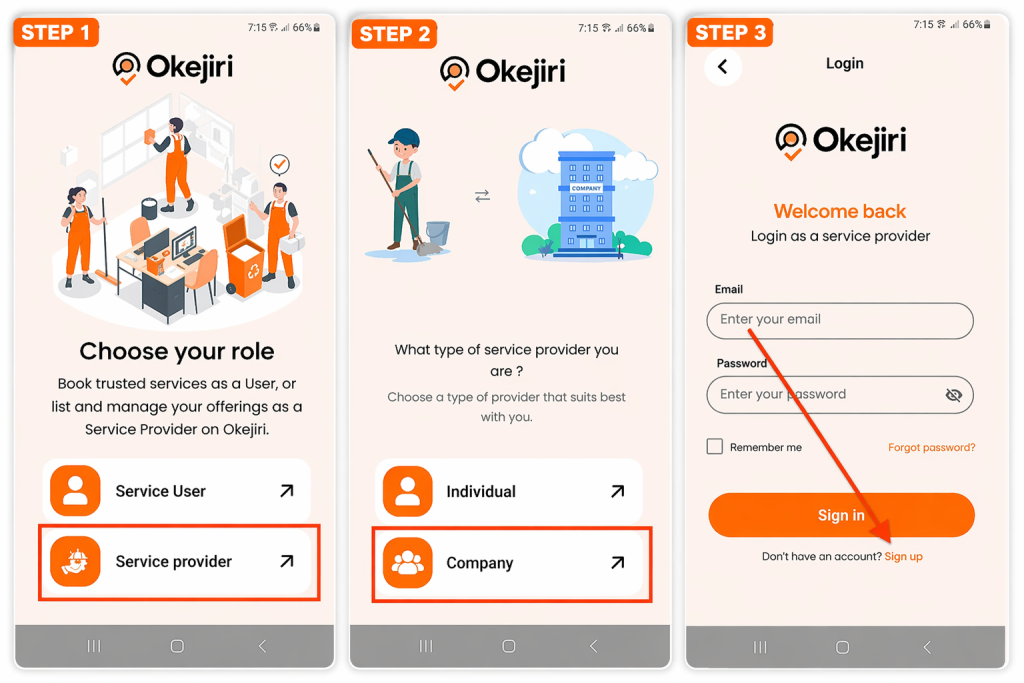
Step 2: Select “Service Provider”
On the homepage, tap Service Provider.
Step 3: Choose Your Provider Type
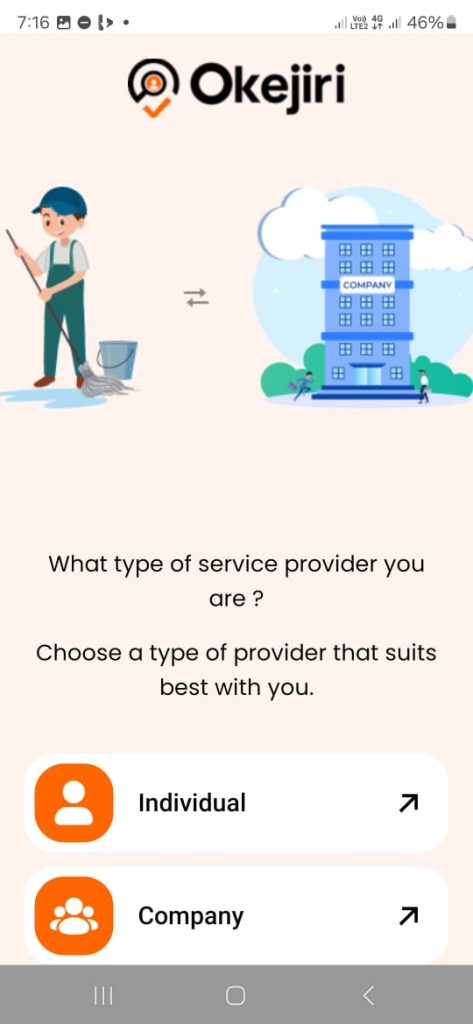
Select:
- Individual – if you work alone
- Company – if you have a team
Step 4: Tap “Sign Up”
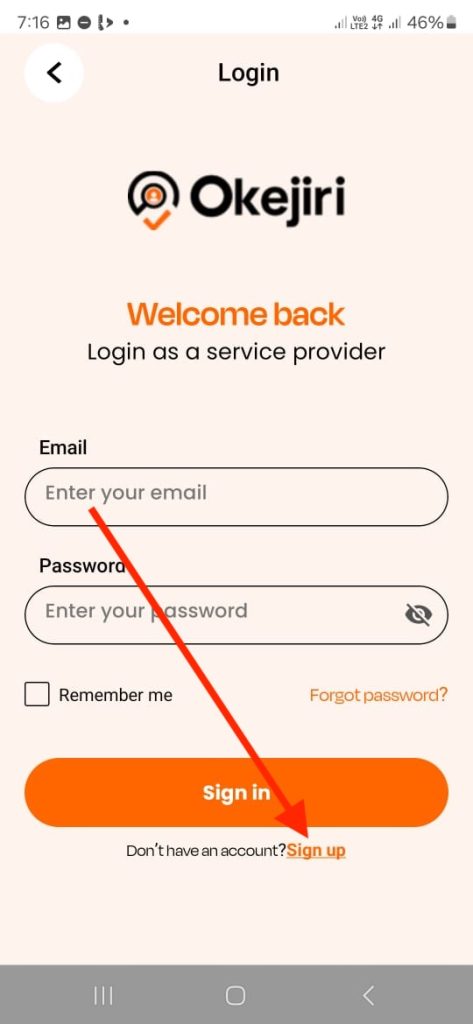
Click the Sign Up button to begin.
Step 5: Enter Your Personal Details
Fill in:
- Full name (must match your ID)
- Email address
- Other required details
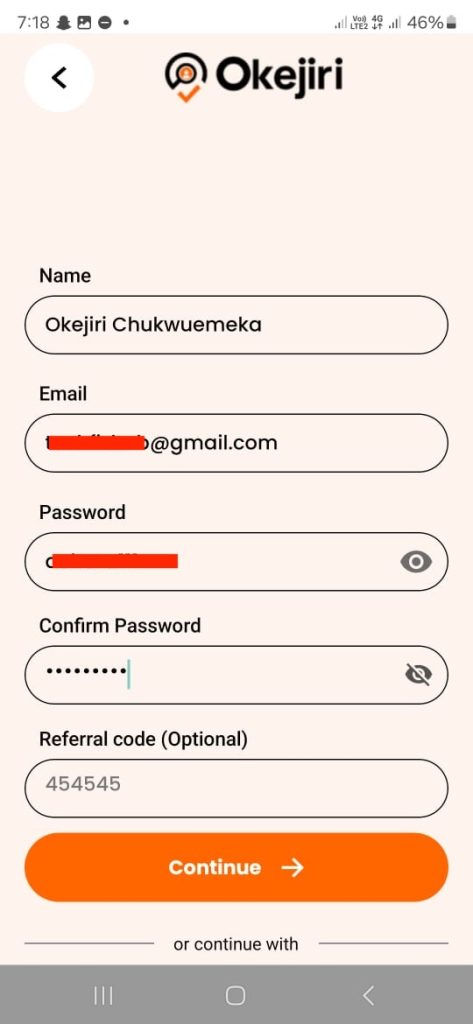
⚠️ Make sure your name matches your official ID to avoid KYC issues.
Step 6: Verify Your Email (OTP)
Enter the OTP sent to your email to confirm your account.

Step 7: Add Phone Number & Location
- Enter your phone number
- Tap Use My Location
- Manually input your city
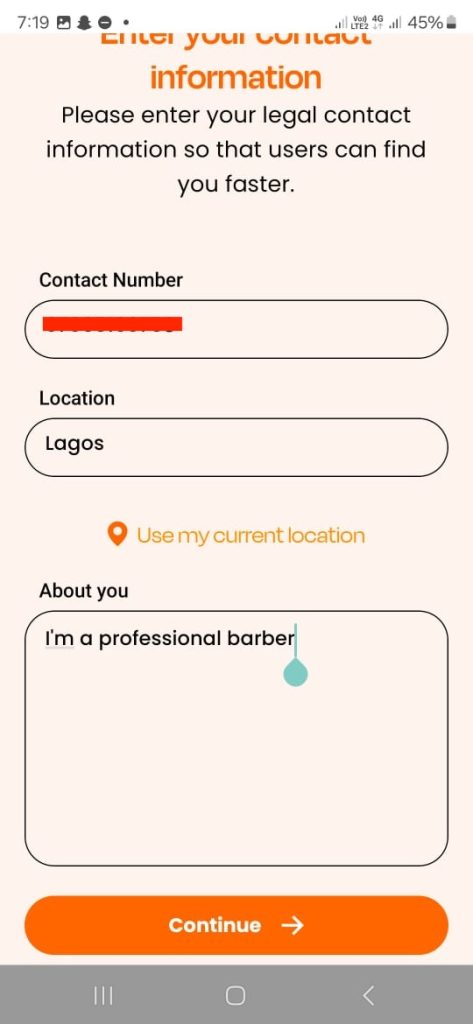
📝 This helps customers near you find your services.
Step 8: Select Your Service
- Tap Select Service
- Choose your category (e.g., barber, cleaner, makeup artist)
- Click Sign Up
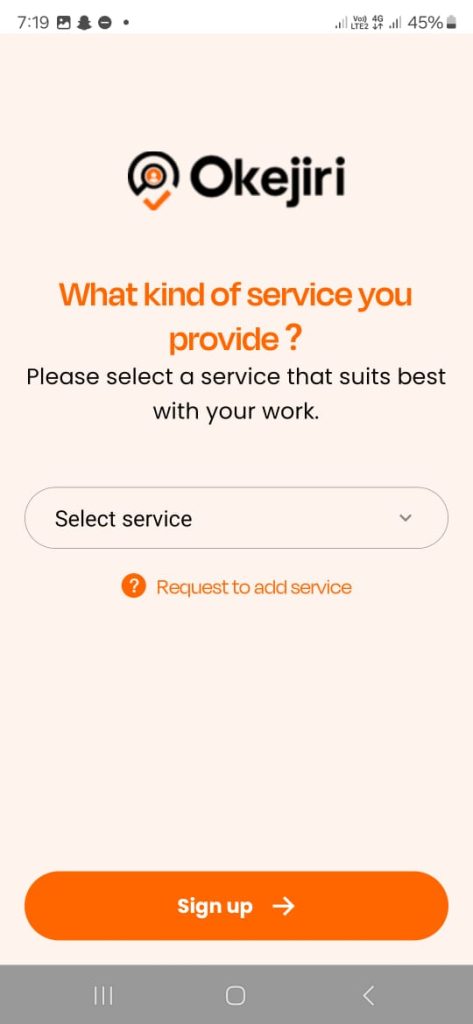
🎉 Your account is now created!
Complete Your KYC Verification
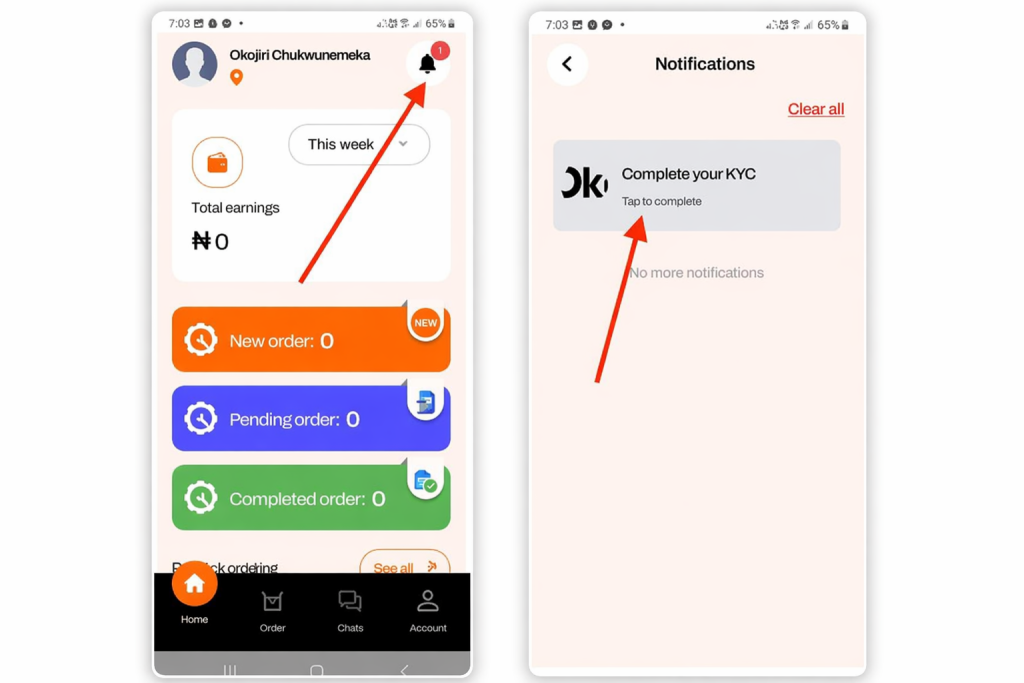
Before receiving bookings, you must complete your KYC.
How to Complete KYC
- Tap the notification icon (top right)
- Click Complete Your KYC
- Or access it from your profile
Required Documents
- National ID
- NIN
- Voter’s Card
- Passport
📌 Only valid and original documents are accepted.
What Happens Next?
- Take a photo of your ID
- Take a selfie
- Wait for approval
Registering as a Company
Best for businesses managing a team.
Step 1: Create Your Account
- Open the app
- Select Service Provider
- Choose Company
- Click Sign Up
Step 2: Enter Basic Information
- Input your name and details
Next
- Enter phone number
- Add your city
- Tap Use My Current Location
- Fill the About You section
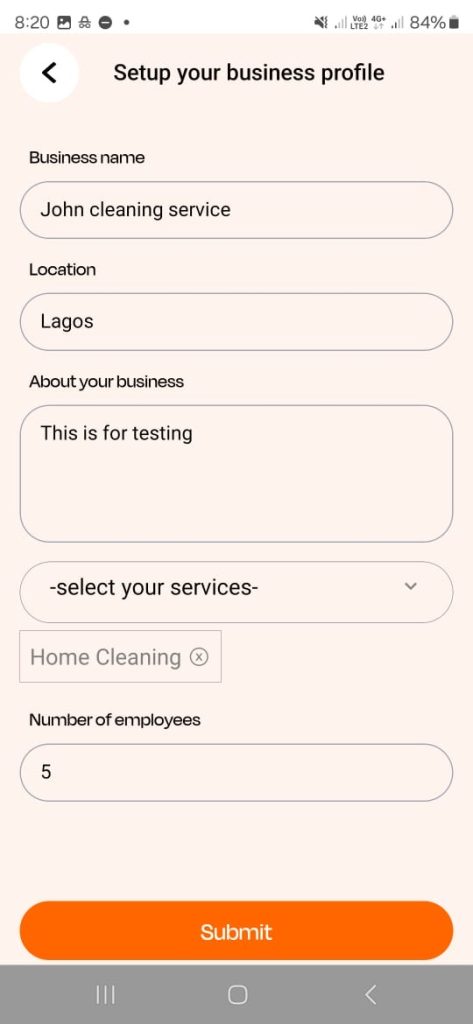
Step 3: Set Up Your Business Profile
Provide:
- Business name
- Business location
- Description
- Services offered
- Number of employees
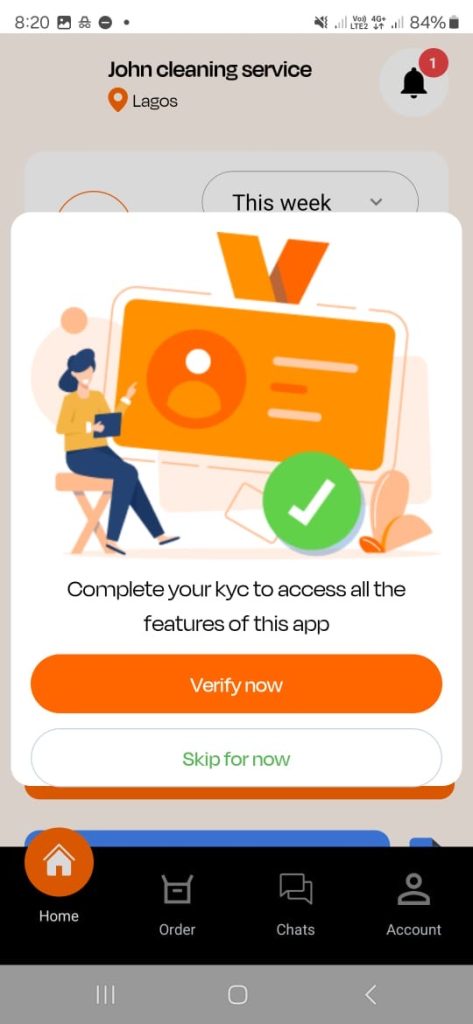
Step 4: Access Your Dashboard
From your dashboard:
- Complete KYC verification
- Manage your business
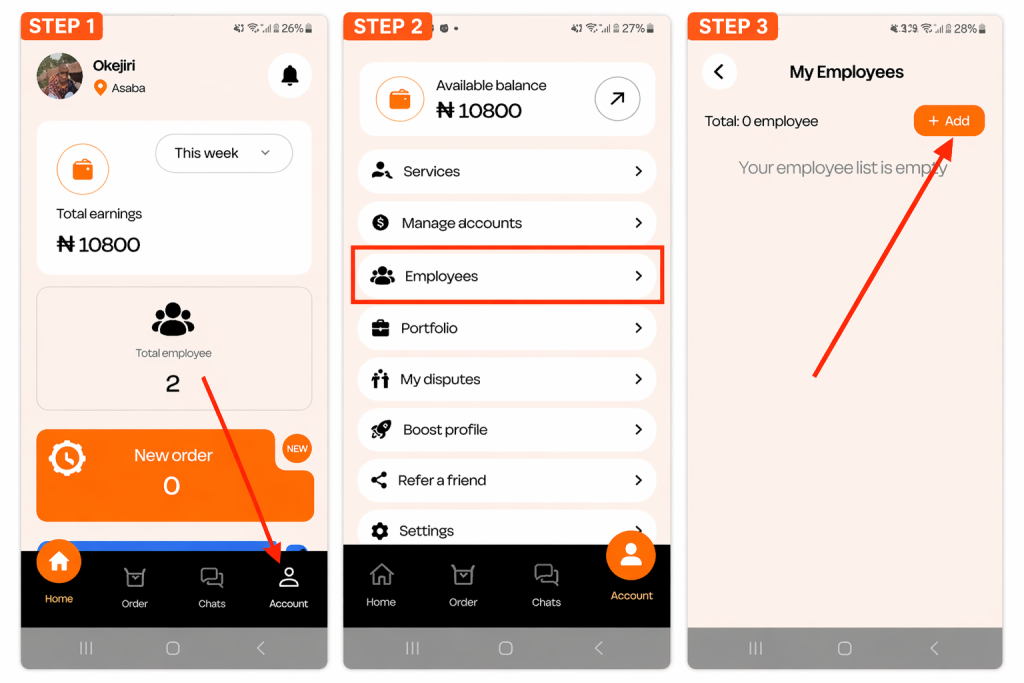
Step 5: Add Employees
- Go to Account → Employees
- Click Add
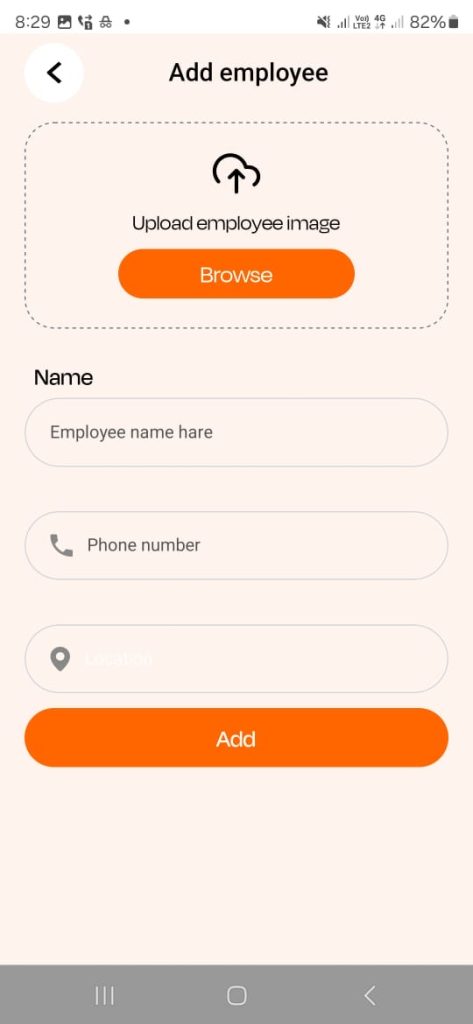
Enter:
- Employee photo
- Name
- Phone number
- Location
Repeat for all team members.
Final Step: Start Managing Orders
Once your setup is complete:
- Assign jobs to employees
- Track activities
- Manage orders from your dashboard
Individual vs Company — What’s the Difference?
| Individual | Company |
|---|---|
| Work alone | Manage a team |
| Handle jobs yourself | Assign jobs to employees |
| Ideal for freelancers | Ideal for businesses |
Choose what fits your current setup — you can always scale later.
How to List Your Services on Okejiri
After KYC approval, listing your services is mandatory.
This is what makes your profile visible and allows customers to book you.
Step 1: Go to Your Profile
Tap Account (bottom right)
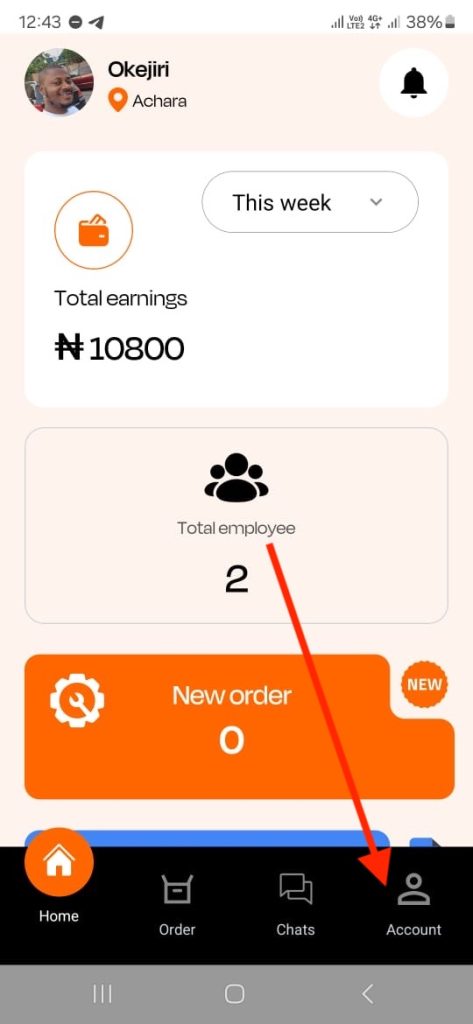
Step 2: Add a Service
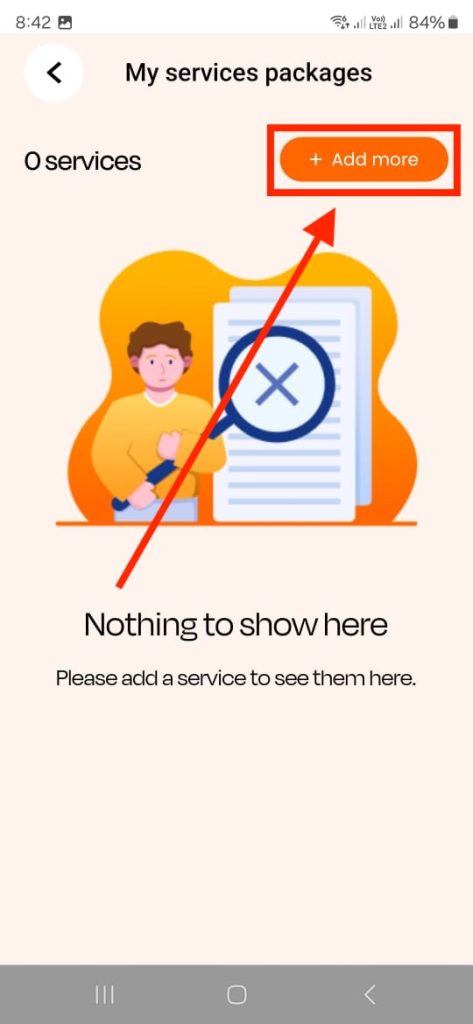
- Tap Services
- Click Add More
Step 3: Connect Your Bank Account
- Tap on the added service or add another one if you want.
- Click Connect
- Select your bank
- Enter your account number
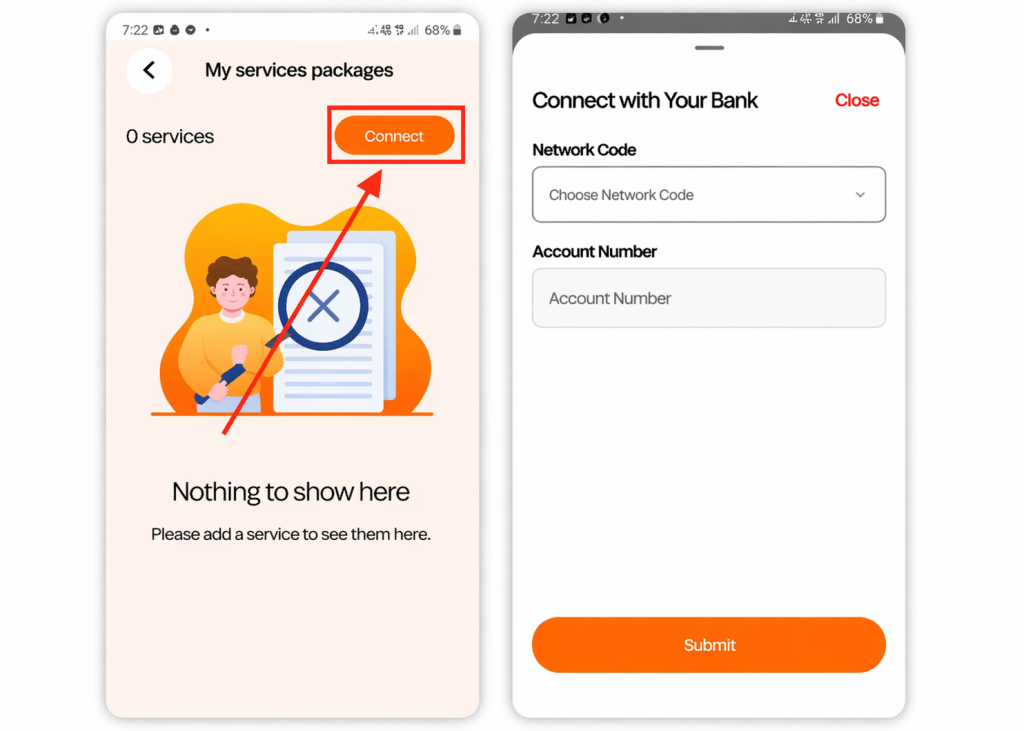
This ensures smooth payments.
Step 4: Add Your Service Package
After adding your bank account details, tap the “Add More” button, then proceed to enter your service details.
Service Details
- Service image (clear and professional)
- Title (e.g., Professional Adult Haircut)
- Description
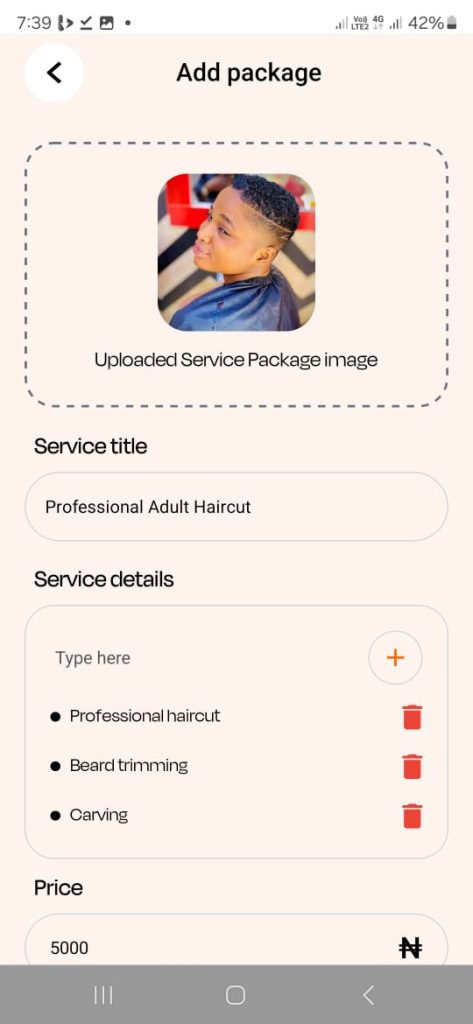
Pricing & Time
- Set competitive pricing
- Add service duration
- Set availability
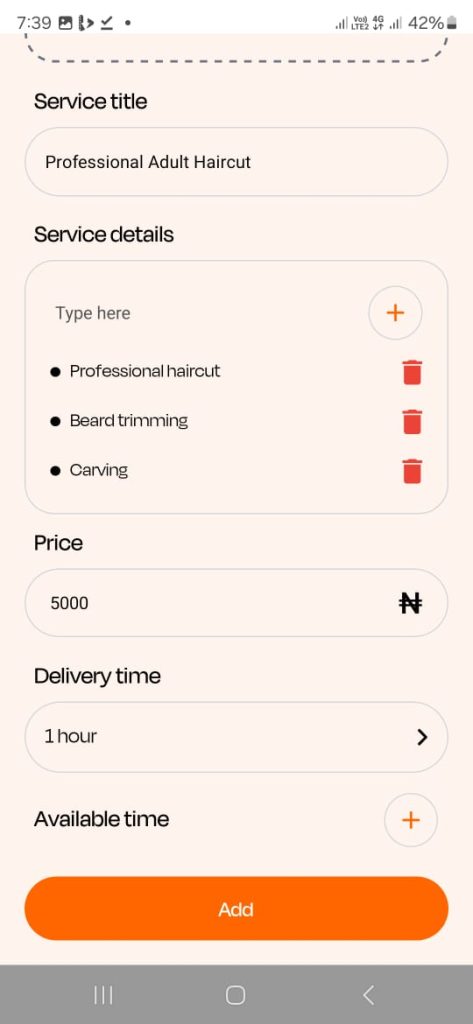
Example (Barber Services)
You can list:
- Adult haircut
- Children haircut
- Dreadlocks
- Hair dye
- Dandruff treatment
📌 All services appear on your profile for booking.
Add Portfolio to Boost Bookings
Want more clients?
- Go to Profile → Portfolio
- Upload images of past work
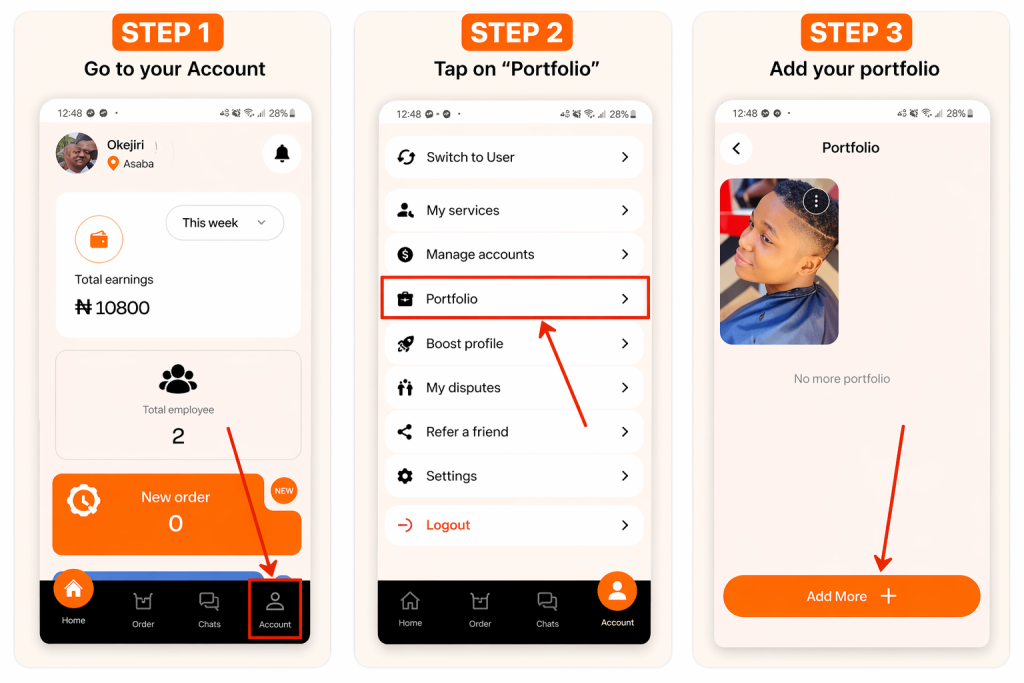
A strong portfolio builds trust and increases bookings.
Who Can Register on Okejiri?
Okejiri supports a wide range of services, including:
- Barbers & hairstylists
- Cleaners
- Cooks
- Nail technicians
- Makeup artists
- Massage therapists
- Home service providers
- And more
Final Thoughts
Registering on Okejiri is simple, but success depends on how well you set up your profile.
✔ Complete your KYC
✔ Add detailed services
✔ Upload quality images
✔ Set competitive pricing
The more professional your profile looks, the higher your chances of getting booked and earning consistently.